The Run of Show Template
What a row has to say, hard and soft times, buffers and changeovers, cue sheets, one voice calling the show, who can change what on the day, speakers and senior guests, rehearsal, contingency scripts and the morning-of distribution.
What is inside
Building the document
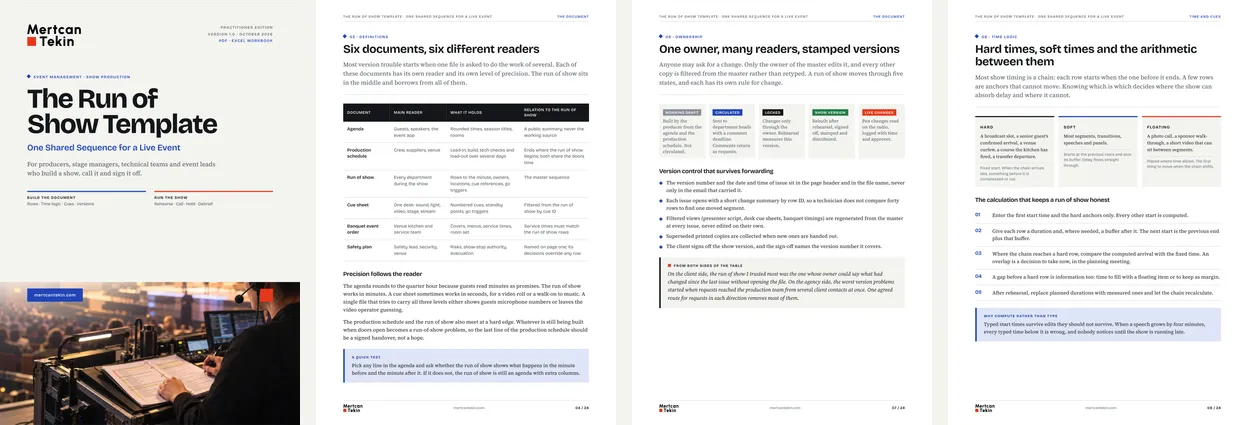
Six documents and their readers, six ways a run of show fails, what a row has to say, ownership and stamped versions, hard and soft times, buffers and cue sheets.
Running the show
Calling the show, change authority on the day, speakers and senior guests, rehearsal, contingency scripts, holds and cuts, and the morning-of distribution.
The workbook
Eight sheets: Show Settings, Run of Show with calculated start times, Cue Sheet, Crew and Contacts, Rehearsal Schedule, Contingency Scripts, Changes Log and Start Here.
Why one shared sequence matters
A run of show is the one document every desk works from at the same minute: stage, sound, light, catering, security and the people who host the guests. Most trouble starts when it is treated as a longer agenda instead of a working sequence with owners, triggers and versions.
The guide and workbook give that sequence a structure that survives late changes, rehearsals and the show itself.
The thinking behind it is in the article What Is a Run of Show?.
Who the template is for
The template is written for producers, stage managers, event managers and agency teams who hold the sequence of a live event: a conference plenary, an awards night, a product launch or a congress opening. It also helps venue technical teams and speaker managers who receive a run of show and need to know which version is current and who may change it.
The guide is practical. It explains what each column is for, who acts on it backstage and what goes wrong when it is left blank.
How to use it, step by step
- Fill in Show Settings first: event date, doors, first start, curfew, version and the person with hold authority. Every other sheet reads from these cells.
- Build the sequence in the Run of Show sheet only. Give each row an owner, a location, a duration, a go trigger and one named caller; start times calculate from the row before.
- Write transitions, walk ons, microphone changes and stage resets as rows of their own, and keep buffer as visible rows behind uncertain moments.
- Link cues to rows by ID in the Cue Sheet and list call signs, channels and call times in Crew and Contacts.
- Record rehearsed durations beside planned ones, rebuild the timings, then lock the version and log every later change with its approver and the radio confirmation.
Show Settings and Run of Show form the master, and every other sheet reads from them. Edit the sequence only in Run of Show, keep a dated copy of each show version, and send the morning of distribution from the locked file so every desk works from the same minute.
The guide also covers who can change what on the day, how to handle speakers and senior guests, and how one voice calls the show. A run of show is ready, in the guide's words, when the person calling it can explain why every row starts when it does.
Common mistakes it helps you avoid
- Times without cues, so each desk decides on its own when a moment starts.
- Transitions left out, so changeovers eat minutes nobody planned.
- Buffer hidden inside segments, where whoever runs the segment spends it.
- Parallel versions held by the presenter, the sound desk and the kitchen.
- Durations estimated at a desk and never measured in rehearsal.
- No agreed holds or cuts, so a late speaker or a failed video ends in silence.
The guide pairs each of these six failures with the practice that prevents it, and the workbook flags hard time clashes, broken cue links, duplicate IDs and untested contingency scripts.
Questions about the template
Is the template free, and what do I receive?
Yes. Enter your work email, confirm the address from the email that follows, and the download page opens with the PDF guide and the Excel workbook. You will also receive new articles and templates about once a month, and you can unsubscribe at any time from any of those emails.
Where is the Excel workbook?
The Excel workbook is attached inside the PDF guide. Open the attachments panel, shown as a paperclip icon in Acrobat, Preview or Edge, and save it to your computer. If your reader has no attachments panel, the same file is offered separately on the download page after you confirm your email.
How is a run of show different from an agenda?
An agenda tells guests what happens and roughly when. A run of show is the working sequence for the crew: every row has an owner, a location, a duration, a cue and a trigger, and transitions appear as rows. The guide also separates it from the cue sheet, the script and the production schedule.
Can the template replace the event safety plan?
No. The guide is a practitioner method for sequencing a live event. Emergency procedures, structural sign off and crowd arrangements belong in the event safety documents, which the run of show points to and never replaces. The free Event Safety Plan Checklist on this site covers that side of the work.
Who should be allowed to edit the run of show?
The guide recommends one master file with one editor and filtered views for each department, with a timestamp on every copy. After the version is locked, changes go into the Changes Log with the person who approved them and confirmation that the change was announced on the radio channel.